The evolution of AI chatbots has entered a new phase. Today it is no longer just about whether an AI-powered customer service system can answer prospects' questions, but also how accurately, quickly, and in a user-friendly way it does so.
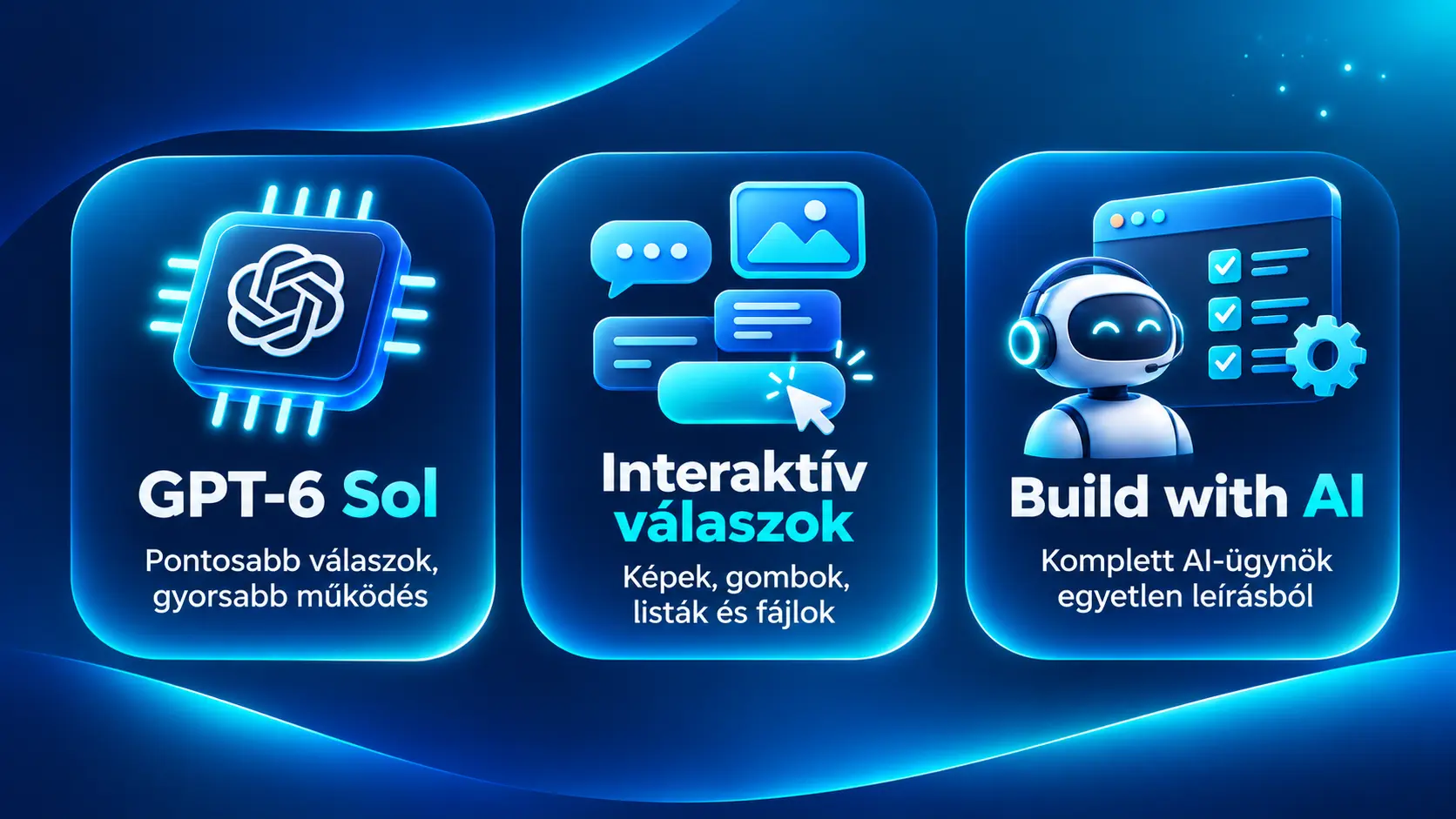
Sales Innovo Conversation AI has expanded with three significant updates in October and November 2026. The new recommended GPT-6 Sol AI model has arrived, interactive chatbot responses have become available, and Build with AI has been introduced, which lets you create complete AI agents from natural-language instructions.
The common goal of these updates is to make it easier to build AI-based customer service while chatbots more effectively support businesses' everyday customer communication.
Let's take a detailed look at what the new features can do and what practical benefits they can offer businesses!
1. GPT-6 Sol: more accurate and faster AI chatbots
One of the most significant updates to Sales Innovo Conversation AI is the introduction of the GPT-6 Sol model, which is now the recommended default model for prompt-based AI agents.
Conversation AI has been specifically optimized for this model. The goal is for chatbots to interpret customer questions more accurately, follow configured instructions more appropriately, and generate responses faster.
How much better does GPT-6 Sol perform?
Conversation AI's internal tests produced the following results:
| Metric | GPT-4.1 | GPT-6 Sol |
|---|---|---|
| Compliance rate on tests | 96.3% | 98.4% |
| Cost per response | Baseline | Approximately the same |
| Recommended model | No | Yes |
The new model therefore achieved a 2.1 percentage point better compliance rate in the internal evaluation.
Based on speed measurements, GPT-6 Sol's typical response generation time is 1.68 seconds, while the slowest 5% of responses measured 2.19 seconds.
For AI agents that previously used the GPT-5 or GPT-5 Mini model, the switch can result in up to 4.5x faster response generation.
It is important to note that these are internal test results. Actual accuracy and speed are influenced by the chatbot's task, the complexity of the prompt, and the quality of the available information.
What does this mean for AI customer service?
Imagine an online store where customers regularly ask about product features, shipping conditions, or order-related details.
A well-configured AI chatbot can handle these questions automatically, answer based on the appropriate knowledge base, and, if needed, hand the conversation over to a human agent.
The new model can be especially useful where following detailed instructions, fast responses, and consistent communication matter.
What happens to the previous AI models?
Newly created prompt-based Conversation AI agents automatically use the GPT-6 Sol model.
The GPT-5 and GPT-5 Mini models have been retired, and agents using them have automatically switched to the new model.
The retirement of GPT-4.1 is also underway, so chatbots still using it should switch models in a timely manner.
After the switch, it is recommended to test the accuracy of responses, the communication style, knowledge base usage, and automated actions.
Detailed guide: GPT-6 Sol: the new recommended AI model in Sales Innovo Conversation AI
2. Interactive chatbot responses: the AI no longer communicates only in text
A traditional chatbot typically responds to users with text messages. This is sufficient in many customer service situations, but there are cases where an image, a clickable button, or a selectable list makes communication much simpler.
Sales Innovo Conversation AI's new Rich Elements support provides exactly this capability.
AI agents can now use various interactive and multimedia elements during conversations with customers.
What interactive elements are available?
- Quick Replies: The customer can choose from predefined response options, so they don't have to type their question in every case. For example, a webshop chatbot can offer product information, shipping, order status, or contact options.
- Link Buttons: The chatbot can direct the prospect directly to a product page, service page, or other relevant web surface.
- Lists: Multiple services, product categories, or handling options can be displayed in an overview.
- Images: The AI can share product images or other visual content during the conversation.
- Files: The chatbot can, for example, send PDF-format information sheets, product brochures, or other documents.
- Formatted Text: On supported channels, the chatbot can also apply emphasis in its responses.
How might an interactive AI chatbot work in a webshop?
Suppose a customer is looking for running shoes in an online store.
The chatbot can first refine their needs, then recommend relevant products based on the appropriate product data.
Instead of a simple text list, it can display product images and, with a clickable button, direct the customer to the selected product page.
If the prospect wants further help, the AI can offer the next steps with quick replies.
Such interactive elements can reduce the typing required and make customer communication more transparent.
Response Rules: control when the AI uses buttons and images
With the new Response Rules feature, natural-language instructions can define in which situations the chatbot should apply interactive response elements.
For example:
"If the customer asks for a product recommendation, display a product image and a link button to the product page."
Or:
"If the prospect can choose from multiple services, use quick reply buttons."
The settings can be controlled separately for each AI agent, and the system takes into account the technical limitations of the given communication channel.
Which communication channels support it?
Interactive responses are available on the following channels:
- Facebook Messenger
- Live Chat
Each channel supports different types and numbers of elements. Unsupported interactive content may appear in readable text form.
The feature can be especially useful for webshops, service businesses, real estate agencies, and companies running automated customer service.
Detailed guide: Interactive responses expand Sales Innovo Conversation AI
3. Build with AI: creating an AI chatbot with natural-language instructions
The third major update does not primarily affect the chatbot responses seen by customers, but the process of creating and configuring AI agents.
With the new Build with AI feature, Sales Innovo Conversation AI now uses artificial intelligence in building chatbots as well.
Previously, creating a more complex AI agent could require several different configuration steps.
You had to write the prompt, configure the communication channels, define the automations, set up appointment booking, and create the rules for handing off to a human agent.
Build with AI simplifies this process.
How does Build with AI work?
To use the feature, it is enough to describe in natural language what kind of AI chatbot you want.
For example:
"Create a Hungarian-language customer service chatbot for our webshop. It should answer questions about products and shipping, help customers, and, in case of a complaint, hand the conversation over to a team member."
Build with AI interprets the request, asks clarifying questions if needed, and can then assemble the AI agent's initial configuration in about a minute.
The system can generate not only a text prompt but also prepare the settings connected to the chatbot's operation.
What settings can it handle?
Build with AI can help in the following areas, among others:
| Feature | Task |
|---|---|
| Prompt | Creating the chatbot's operating instructions |
| Channels | Configuring communication channels |
| Triggers | Events that launch automations |
| Booking Actions | Appointment booking actions |
| Hand-offs | Handing conversations over to team members |
| Working Hours | Setting operating hours |
| Knowledge Base | Connected knowledge base configuration |
| Outbound Opening Message | Opening message for outbound conversations |
The necessary business data, knowledge bases, and external connections must of course be available.
The chatbot can also be modified later through conversation
Build with AI is not only for creating new AI agents.
The operation of an already created chatbot can also be modified with simple text instructions.
For example:
"The chatbot should answer customers Monday to Friday between 8 AM and 5 PM."
Or:
"If the prospect asks for a custom quote, route them to the sales team."
Multiple settings can even be modified in a single instruction.
This can be especially useful for businesses that regularly change their customer service processes.
Testing and manual editing
On the Build with AI interface, the created chatbot can be tested directly.
During test conversations, you can check, for example, whether the AI answers customer questions appropriately, follows the communication rules, and handles human handoff correctly.
If something is not right, a modification can be requested with another natural-language instruction.
The manual editing option remains available, so detailed settings can also be checked in the traditional way if needed.
An important security consideration is that the new AI agent is created in a disabled state by default, meaning it does not start communicating with real customers automatically.
Detailed guide: Build with AI: create a complete Conversation AI agent from a single description
How do the three AI chatbot updates complement each other?
GPT-6 Sol, interactive responses, and Build with AI develop Conversation AI in three different areas, but together they offer even more possibilities.
GPT-6 Sol can improve the accuracy and speed of the AI agent's response generation.
Interactive response elements make it possible for the chatbot to assist customers with images, buttons, lists, and documents.
Build with AI can simplify the creation, configuration, and later modification of AI agents.
Let's take a practical example!
A webshop owner wants to set up AI-based customer service to handle frequent customer questions.
With Build with AI, they can specify what tasks the chatbot should perform, what style it should communicate in, and when it should hand a conversation over to a team member.
The created AI agent can process customer questions using the GPT-6 Sol model.
With properly configured interactive responses, it can display product images, selection options, and direct product links.
This way, the three updates can be used not as independent features, but as parts of a more complex customer communication process.
Why is the evolution of AI customer service important for businesses?
For businesses, one of the most important questions about customer service automation is how to handle recurring tasks more efficiently without degrading the customer experience.
In an online store, for example, the same questions about shipping, payment options, product features, or order details can arise regularly.
At a service business, prospects often ask about opening hours, available services, or appointment booking.
In these situations, AI chatbots can help reduce the volume of manual handling while team members can focus more on complex inquiries.
However, automation does not mean that every customer situation should be handled exclusively by artificial intelligence.
The right knowledge base, precise operating instructions, regular testing, and handoff to a human agent continue to play a defining role in building reliable AI customer service within the Sales Innovo AI system.